
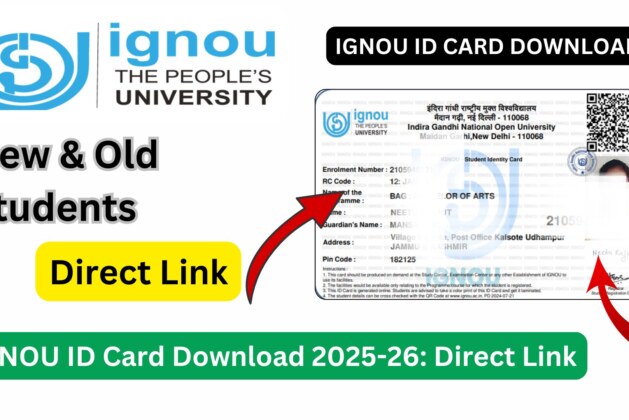
IGNOU ID Card Download with Enrollment No: The IGNOU ID card is one of the most important documents for every student enrolled at Indira Gandhi National Open University. From attending examinations to accessing study centres and university services, the ID card serves as official proof of identity and enrollment. Many students search for IGNOU ID card download with enrollment no because the university now provides the facility to download the ID card online instead of issuing only physical copies.
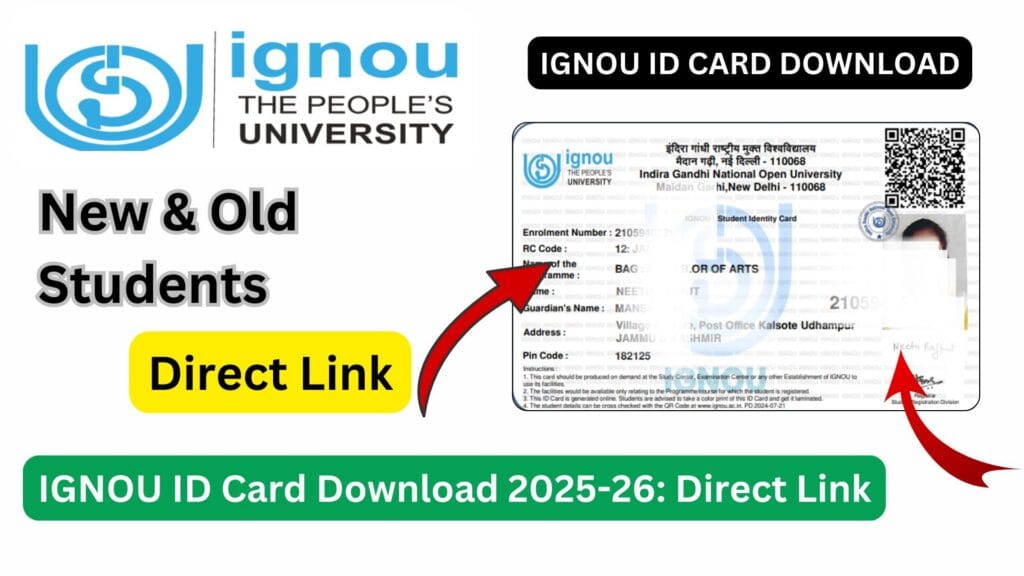
Whether you are a newly admitted student or a continuing learner, downloading and carrying the IGNOU ID card is mandatory throughout your academic journey. This article provides a detailed and comprehensive explanation of how to download the IGNOU ID card using your enrollment number, its importance, common issues faced during download, and solutions to those issues.
What Is an IGNOU ID Card?
The IGNOU ID card is an official identity document issued by the university to its students. It confirms that the holder is a registered student of IGNOU and contains essential information required for academic and administrative purposes.
The ID card is required at multiple stages, including examinations, practical sessions, assignment submission, and interaction with study centres and regional centres.
Importance of IGNOU ID Card for Students
The IGNOU ID card is not just an identity proof; it is a mandatory document for several academic activities.
Required for Examinations
Students must carry the IGNOU ID card to the examination centre along with the hall ticket.
Mandatory at Study Centres
Study centres verify the ID card during assignment submission and practical sessions.
Required for Practical and Project Work
Without an ID card, students may not be allowed to attend practical classes or viva-voce.
Proof of Enrollment
The ID card acts as official proof that the student is enrolled in a particular program.
Required for University Services
Access to libraries, workshops, and student services often requires the ID card.
Details Mentioned on IGNOU ID Card
The IGNOU ID card typically includes the following information:
- Student Name
- Enrollment Number
- Program Code
- Regional Centre Code
- Study Centre Code
- Photograph of the Student
- University Name
Students should carefully check all details after downloading the ID card.
IGNOU ID Card Download with Enrollment No: Official Link
Students can download their IGNOU ID card using their enrollment number from the following link:
https://www.ignoubank.com/ignou-id-card-download-with-enrollment-no-2
This link provides a convenient method to access and download the ID card online.
How to Download IGNOU ID Card with Enrollment Number?
Follow the steps below to download your IGNOU ID card online:
- Open the IGNOU ID card download page using the official link provided above.
- Enter your IGNOU Enrollment Number carefully.
- Select your Program Code, if required.
- Submit the details.
- Your IGNOU ID card will appear on the screen.
- Download the ID card in PDF format.
- Take a clear printout for regular use.
Students are advised to store a digital copy safely on their devices.
When Should Students Download IGNOU ID Card?
Students should download their IGNOU ID card as soon as:
- They receive their enrollment number
- Their admission is confirmed
- They plan to submit assignments
- They are preparing for examinations
Delaying the download may create unnecessary issues during exams or academic activities.
IGNOU ID Card for Fresh Admission Students
Fresh admission students often worry about the availability of their ID card. Once the enrollment number is generated and admission is confirmed, the ID card becomes available for download.
If the ID card is not visible immediately, students should wait for a few days and try again.
IGNOU ID Card for Re-Registered and Re-Admitted Students
Students who have re-registered or taken re-admission can continue using their original IGNOU ID card. There is no need to download a new ID card unless there is a change in personal or program details.
What to Do If IGNOU ID Card Is Not Available Online?
If students face issues while downloading the ID card, they should:
- Verify the enrollment number entered
- Check if admission is confirmed
- Wait for system updates
- Contact the regional centre if the problem persists
In most cases, the issue is temporary and resolves automatically.
Common Problems Faced During IGNOU ID Card Download
Enrollment Number Not Found
This may occur if admission details are not yet updated in the system.
ID Card Not Showing Photograph
Photograph issues may occur due to incomplete upload during admission.
Incorrect Details on ID Card
Spelling mistakes or wrong program details may appear due to data entry errors.
Website Not Loading
Heavy traffic or technical issues may temporarily affect access.
How to Correct Errors in IGNOU ID Card?
If there are errors in the ID card, students should:
- Contact the regional centre
- Submit a written request with correct details
- Provide proof such as admission confirmation or identity documents
Corrections may take time, so early reporting is recommended.
Is Physical IGNOU ID Card Still Required?
While IGNOU primarily uses digital ID cards now, students are advised to carry:
- A printed copy of the downloaded ID card
- A government-issued photo ID during exams
Some centres may ask for additional identification.
Important Links and Information
| Purpose | Link / Information |
|---|---|
| Download IGNOU ID Card | https://www.ignoubank.com/ignou-id-card-download-with-enrollment-no-2/ |
| Admission Confirmation | IGNOU Admission Portal |
| Student Status Check | IGNOU Student Services |
| Assignment Submission | Respective Study Centre |
| Exam Hall Ticket | IGNOU Exam Portals |
| Regional Centre Support | Concerned Regional Centre |
FAQ about IGNOU ID Card Download with Enrollment No.
What is IGNOU ID card download with enrollment no?
It is the process of downloading the IGNOU student ID card online using the enrollment number.
Is IGNOU ID card mandatory?
Yes, the IGNOU ID card is mandatory for exams, practicals, and academic activities.
Can I appear in exams without an ID card?
No, students are usually not allowed to appear in exams without a valid ID card.
What if my IGNOU ID card is not available online?
You should wait for updates or contact your regional centre for assistance.
Can I use a digital copy of the ID card?
Yes, but it is recommended to carry a printed copy for official use.
Do I need to download a new ID card after re-registration?
No, the same ID card remains valid unless personal details change.
What should I do if details on my ID card are incorrect?
You should contact the regional centre with proof for correction.
Conclusion
The IGNOU ID card download with enrollment no facility has made it easier for students to access their official identity document without visiting study centres. The ID card is a crucial document that must be carried throughout the academic journey, from assignment submission to final examinations.
Students are strongly advised to download their ID card as soon as possible, verify all details carefully, and keep both digital and printed copies safe. In case of any issues, timely communication with the regional centre can help resolve problems smoothly.
By understanding the download process and importance of the IGNOU ID card, students can ensure uninterrupted access to IGNOU’s academic and administrative services.

Leave a comment