
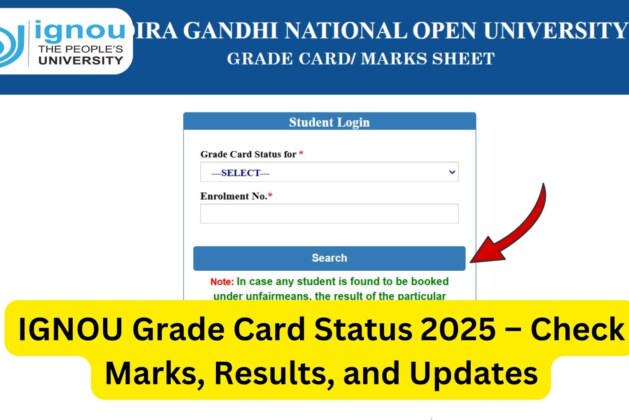
IGNOU Grade Card Status 2025: The Indira Gandhi National Open University (IGNOU) conducts examinations twice every year, in June and December. After the declaration of results, students eagerly wait to check their grade card status, which reflects their performance in theory, practical, assignments, and project components.
The IGNOU Grade Card serves as an essential academic document that represents the student’s academic progress and acts as a bridge between the term-end examinations and the final mark sheet.
If you are looking to check your IGNOU Grade Card Status 2025, you can directly visit the link below to view and download it: Check IGNOU Grade Card Status 2025
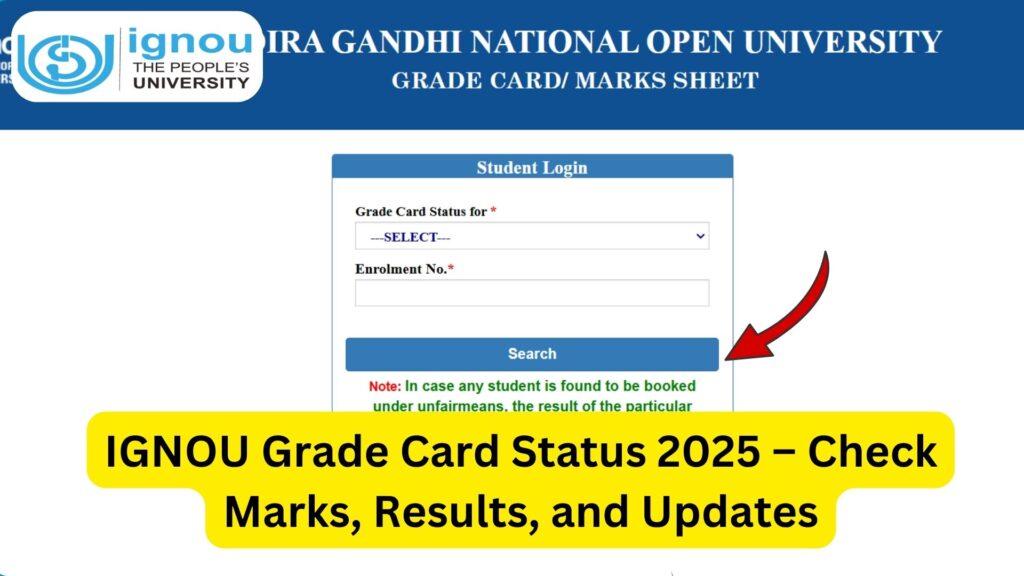
This article provides you with a detailed guide on how to check your IGNOU Grade Card, understand its components, interpret your grades, and stay updated with the latest information regarding grade card updates, pending results, and assignment marks.
What is an IGNOU Grade Card?
The IGNOU Grade Card is an official record issued by the university that displays your marks, grades, and status for each course you are enrolled in. It includes marks obtained in the following components:
- Term-End Theory Examination (TEE)
- Practical / Lab Work (if applicable)
- Assignments / Continuous Evaluation
- Project / Dissertation / Internship (if applicable)
The grade card is updated gradually after IGNOU releases results for each component. Hence, it may take some time to reflect all completed course results.
How to Check IGNOU Grade Card Status Online?
Students can easily check their IGNOU Grade Card online in just a few steps. Follow the steps below carefully:
Step 1: Visit the Grade Card Portal
Go to the official IGNOU Grade Card status link: https://www.ignoubank.com/ignou-grade-card/
Step 2: Choose Your Programme
Select your programme from the list (for example: BA, BCOM, MA, MPS, BCA, MCA, MBA, etc.).
Step 3: Enter Your Enrolment Number
Provide your 9 or 10-digit enrolment number in the box provided.
Step 4: Click on “Submit”
After entering your details, click on the Submit button.
Step 5: View and Download Your Grade Card
Your grade card will be displayed on the screen showing marks in assignments, theory exams, and practical components. You can download or take a printout for future reference.
Components of IGNOU Grade Card
Each IGNOU Grade Card is divided into multiple columns, showing different academic aspects. Here’s what each section represents:
| Component | Description |
|---|---|
| Course Code | Indicates the unique code for each subject/course. |
| Assignment Marks | Marks obtained in submitted assignments for that course. |
| Term-End Marks | Marks obtained in the theory/practical exams. |
| Practical / Project Marks | Marks obtained in practical or project work (if applicable). |
| Grade | The letter grade assigned based on total marks achieved. |
| Status | Shows whether the course is “Completed” or “Not Completed.” |
Understanding the IGNOU Grading System
IGNOU follows a credit-based grading system to evaluate students’ performance. Below is the grade point distribution used by IGNOU:
| Letter Grade | Grade Point | Marks Range (%) | Performance |
|---|---|---|---|
| A | 5 | 80% and above | Excellent |
| B | 4 | 60% to 79% | Very Good |
| C | 3 | 50% to 59% | Good |
| D | 2 | 40% to 49% | Satisfactory |
| E | 1 | Below 40% | Unsatisfactory (Fail) |
To successfully complete a course, a student must secure a minimum of 40% marks in both assignments and term-end examinations.
When Does IGNOU Update the Grade Card?
IGNOU does not update all marks at once. The grade card is updated gradually in phases as the university processes and uploads marks received from different regional centres and evaluation units.
Generally, the grade card is updated:
- After Assignment Evaluation – Marks of submitted assignments are updated after evaluation by study centres.
- After Term-End Exams – Marks for theory and practical exams appear once the result is declared.
- After Project / Dissertation Submission – Marks for project-based courses are uploaded after approval and evaluation.
It may take 30 to 45 days after the declaration of results for all updates to reflect in your grade card.
Difference Between IGNOU Result and Grade Card
Students often get confused between the IGNOU result and the grade card. Here’s how they differ:
| Aspect | Result | Grade Card |
|---|---|---|
| Purpose | Shows marks for term-end exams only. | Shows combined marks for assignment, practical, and term-end exams. |
| Timing | Declared soon after the exams. | Updated gradually after results and assignment marks are processed. |
| Components | Contains only TEE marks. | Contains all components of assessment. |
| Status | No “completed/not completed” status. | Displays completion status for each course. |
Thus, the grade card is the final record that reflects your complete academic progress, while the result is just a part of it.
Reasons for Grade Card Not Being Updated
If your grade card is not updated or shows “Not Completed” for some courses, it may be due to one or more of the following reasons:
- Assignment marks not uploaded yet by your study centre.
- Project or practical evaluation still pending.
- Term-end examination marks yet to be updated.
- You appeared in the exam recently and results are under process.
- Mismatch in enrolment number or course code while filling the exam form.
- Technical delay from the regional evaluation centre.
If it has been more than 45–60 days after results and your grade card still shows pending marks, you can contact your regional evaluation centre for clarification.
How to Verify Grade Card Status with Assignments?
Assignments are an integral part of IGNOU’s evaluation process. Each course requires the submission of assignments before appearing in exams. If your grade card does not show assignment marks, it could mean:
- The study centre has not yet uploaded the marks.
- Your assignment marks are not yet forwarded to the evaluation division.
- The assignments were submitted after the due date or were rejected.
You can visit your regional centre or study centre to confirm the status of assignment marks submission.
How to Download IGNOU Grade Card PDF?
If you wish to download your grade card for future use or submission, follow these simple steps:
- Visit https://www.ignoubank.com/ignou-grade-card/.
- Select your programme and enter your enrolment number.
- Click on Submit to view your grade card.
- Press Ctrl + P on your keyboard or use the browser menu to print.
- Choose Save as PDF option and save the file on your device.
You can now access your grade card anytime offline as a PDF document.
Important Links and Information
Here’s a table summarizing all the crucial links related to IGNOU Grade Card 2025:
| Purpose / Description | Link |
|---|---|
| Check IGNOU Grade Card Status 2025 | https://www.ignoubank.com/ignou-grade-card/ |
| IGNOU Official Website | https://www.ignou.ac.in/ |
| IGNOU Term-End Exam Result Portal | https://termendresult.ignou.ac.in/ |
| Assignment Submission Guidelines | Available on regional centre websites |
| IGNOU Student Support Portal | https://ignou.samarth.edu.in/ |
Tips for Students Regarding Grade Card Updates
- Check Regularly: Keep checking the grade card portal every week after results are released.
- Contact Regional Centre: If there’s a delay beyond 60 days, contact your regional evaluation centre.
- Keep Assignment Proof: Always keep a copy of your submitted assignments and acknowledgement receipt.
- Check Enrollment Details: Ensure your enrolment number, programme code, and course codes are correctly entered in all records.
- Be Patient: IGNOU processes a large volume of data, so updates may take time.
FAQ about IGNOU Grade Card Status 2025
How can I check my IGNOU Grade Card Status 2025?
You can check your grade card status by visiting https://www.ignoubank.com/ignou-grade-card/ and entering your enrolment number.
What does “Not Completed” mean in the grade card?
It means that either your assignment or term-end exam marks for that course are still pending or you have not cleared one of the components.
How long does it take for IGNOU to update grade cards after results?
Generally, IGNOU takes about 30–45 days after the result declaration to update the grade card fully.
My assignment marks are not showing in the grade card. What should I do?
Contact your study centre and confirm if they have uploaded your marks. It will reflect once the evaluation centre processes them.
Is the IGNOU Grade Card equivalent to a mark sheet?
The grade card acts as an online provisional mark sheet. The final official mark sheet and certificate are sent by IGNOU after course completion.
Can I download and print my IGNOU grade card?
Yes. You can download your grade card in PDF format directly from the portal and print it for your records.
What should I do if there’s an error in my grade card?
If you find any discrepancy in marks or course details, immediately contact your regional evaluation centre with a copy of your result and assignment proof.
How is the final percentage calculated from the IGNOU Grade Card?
IGNOU calculates the final percentage by combining assignment and term-end exam marks as per the credit weightage of each course.
Conclusion
The IGNOU Grade Card 2025 is one of the most important academic tools for every IGNOU student. It not only shows your marks in each subject but also determines your progress toward program completion. Regularly checking your grade card helps you identify missing updates, pending marks, or incomplete courses early.
If your grade card isn’t updated immediately after results, don’t panic — IGNOU updates it in stages. Keep track of the updates and contact your study centre if there are prolonged delays.
To check your latest IGNOU Grade Card status, visit the official page now: https://www.ignoubank.com/ignou-grade-card/
By staying informed and proactive, you can ensure that your academic progress remains smooth and transparent throughout your IGNOU journey.
Leave a comment